
Uncategorized
Air Purification Maintenance Tips for Homeowners
Jun
TL;DR:
- Regular maintenance of air purifiers, including filter and sensor cleaning, is essential for optimal performance and longevity. Following scheduled tasks and proper placement reduces filter wear and improves air quality effectively. Using units with built-in indicators and adhering to manufacturer guidelines simplifies upkeep and maximizes benefits.
Air purification maintenance is defined as the regular cleaning, inspection, and timely replacement of filters, sensors, and components that keep your air purifier running at full capacity. Treating your unit as a set-and-forget appliance is the single fastest way to reduce its effectiveness and shorten its life. The good news: a consistent routine of air purification maintenance tips takes less than 30 minutes a month and pays off in cleaner air and lower operating costs. Brands like Coway and resources like Consumer Reports confirm that active maintenance is what separates a high-performing purifier from an expensive dust collector.
What are the essential air purifier maintenance tasks?
The foundation of any air purifier care guideline is knowing which tasks matter most and how to do them safely. These are not optional extras. They are the difference between a purifier that works and one that circulates dirty air.
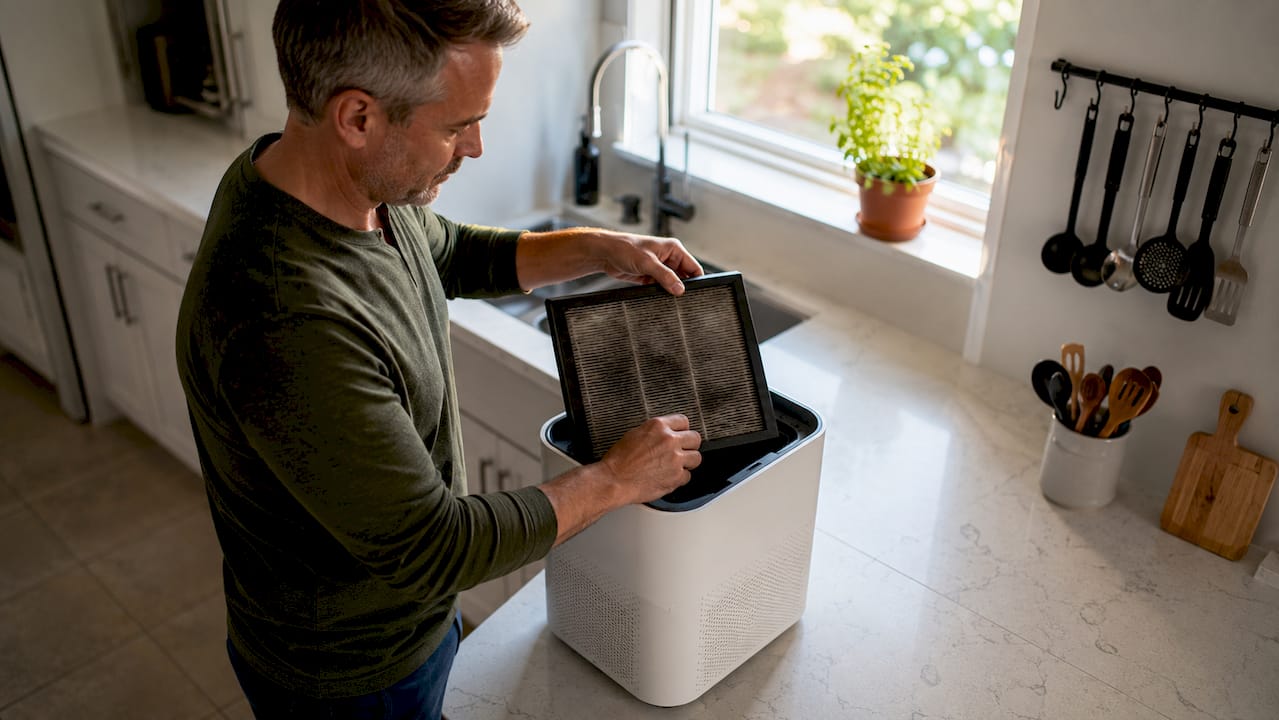
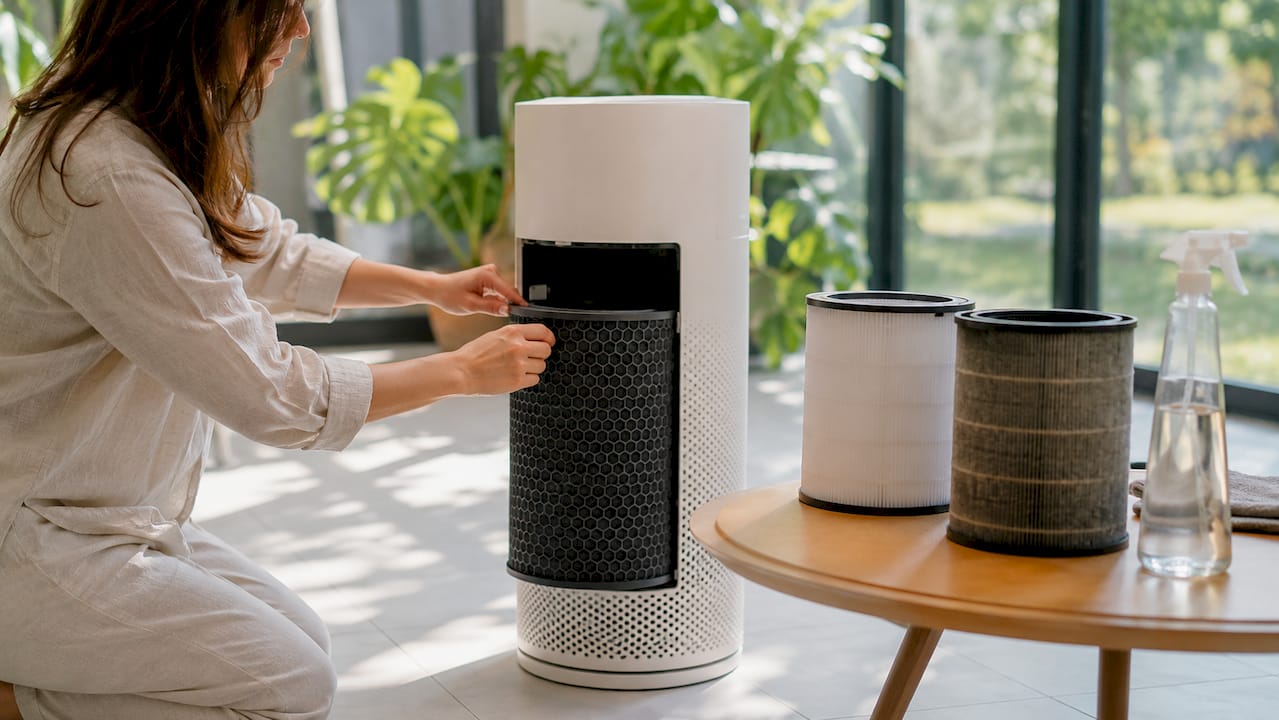
Filter care is the top priority. Replace pleated HEPA filters every 6–12 months and activated carbon filters approximately every 3 months. A clogged filter does not just underperform. It forces the motor to work harder, which raises energy use and accelerates wear.
Here are the core tasks every owner should perform:
- Pre-filter cleaning: Rinse or vacuum the pre-filter every 2–4 weeks. This mesh layer catches large particles like hair and dust before they reach the HEPA filter, so keeping it clear directly extends the life of your more expensive filters.
- Exterior grill wiping: Use a soft dry cloth or a slightly damp microfiber cloth on the outside casing monthly. Never use abrasive cleaners or spray water directly at the unit.
- Sensor cleaning: The air quality sensor is the brain behind auto mode. Clean it with a soft brush or dry cotton swabs every 1–2 months. The Coway Airmega manual specifically advises this step and warns against using water sprays near the sensor port.
- Unplugging before any cleaning: Always disconnect the unit from power before opening panels or touching internal components. This is non-negotiable for safety.
- Indicator light checks: After cleaning or replacing filters, reset the indicator light per your model’s manual. Skipping this step means the unit will continue alerting you even after the issue is resolved.
Pro Tip: Never put a damp filter back into your unit. Even slight moisture trapped inside a HEPA filter creates conditions for mold growth. Always let components air dry completely before reassembling.
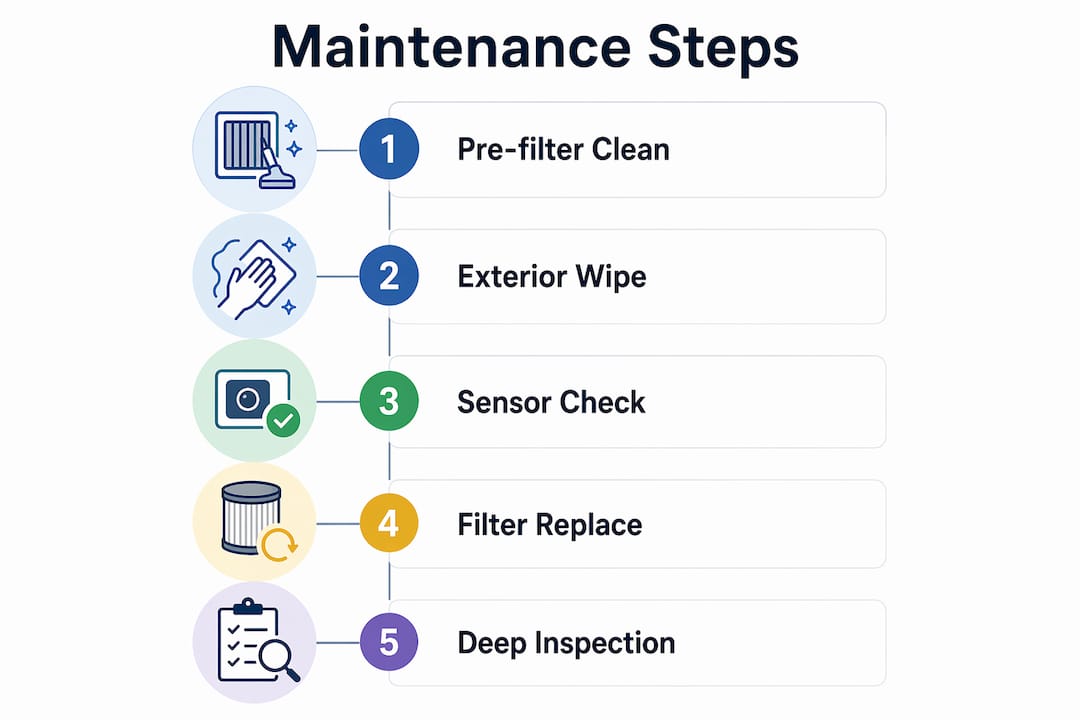
The step-by-step filter maintenance process is straightforward once you know the order. Work from the outside in: wipe the exterior, remove and clean the pre-filter, inspect the HEPA and carbon layers, clean the sensor, and reassemble only when everything is dry.
How often should you maintain your air purifier?
A clear schedule is what separates homeowners who get years of reliable performance from those who replace units prematurely. The Home Air Quality Lab maintenance checklist maps every task to a specific frequency, and following it is far more reliable than guessing.
| Task | Frequency |
|---|---|
| Pre-filter cleaning | Every 2–4 weeks |
| Exterior wipe-down | Monthly |
| Sensor cleaning | Every 1–2 months |
| HEPA filter inspection | Every 1–3 months |
| Carbon filter replacement | Every 3 months |
| Pleated/HEPA filter replacement | Every 6–12 months |
| Seasonal deep check | 2–4 times per year |
The seasonal deep check is worth calling out specifically. Twice a year, pull the unit away from the wall, inspect the intake and exhaust vents for blockages, and check the power cord for wear. This is also the right time to verify that your placement still makes sense as furniture arrangements change.
One detail most guides skip: visual filter checks alone are not a reliable way to judge when replacement is due. A HEPA filter can look gray and still trap particles effectively, or it can appear clean while being saturated with fine pollutants invisible to the eye. Your unit’s built-in indicator and the manufacturer’s published schedule are the two sources you should trust.
Pro Tip: Set a recurring phone reminder on the first of each month for your exterior wipe-down and sensor check. Pair it with your HVAC filter change so both tasks happen together and neither gets forgotten.
What are common mistakes in air purifier maintenance?
Even attentive owners make errors that quietly reduce performance. Knowing the most frequent air purifier issues before they happen saves you money and frustration.
-
Skipping sensor cleaning. Dust buildup on the sensor causes what technicians call “sensor drift.” The unit reads air quality inaccurately and either runs the fan too fast or too slow. The TruSens Z-2000 manual flags this directly, noting that a dirty SensorPod viewing chamber produces false air quality readings that undermine auto mode entirely.
-
Relying only on visual cues to replace filters. Consumer Reports confirms that filter appearance is not a dependable replacement signal. Follow the indicator light and the manufacturer’s schedule instead.
-
Blocking intake or exhaust vents. Placing the unit too close to a wall or piece of furniture restricts airflow. Restricted airflow forces the motor to compensate, which increases noise, reduces filtration efficiency, and loads the filter faster than normal.
-
Forgetting to reset the indicator light. After a filter change, many owners notice the alert stays on. This is not a malfunction. It means the reset step in the manual was skipped. Consult your model’s guide for the exact button sequence.
-
Using wet cloths on internal components. Moisture inside the unit can damage electronics and promote mold on filter media. Dry tools only for anything beyond the exterior casing.
A useful rule of thumb: if your purifier is running louder than usual, check the vents and pre-filter first. Noise is almost always a sign of restricted airflow, not a failing motor. Clearing the blockage usually resolves it within minutes.
Sensor dust buildup is the most underestimated problem on this list. Cleaning the sensor at the prescribed interval can restore proper fan behavior without any filter replacement at all. That is a meaningful cost saving when HEPA filters run $30–$80 each.
How does placement and home habits affect your purifier?
Mechanical maintenance only covers half the picture. Where you put your unit and how you manage your home environment directly affect how hard the purifier has to work and how long its filters last.
Proper placement means keeping intake and exhaust vents clear of furniture, curtains, and walls. A minimum of 18 inches of clearance on all sides is the standard recommendation. Units pushed into corners or tucked behind sofas pull in restricted air, which loads filters faster and reduces the volume of air cleaned per hour.
Your household habits matter just as much as the unit’s position. Regular vacuuming and dusting reduce the total particle load in your home. Air purifiers cannot remove allergens that have settled onto surfaces unless those particles are disturbed and become airborne again. Pairing your purifier routine with a weekly vacuum session means the unit spends less time processing heavy dust loads and more time maintaining clean baseline air.
Placement and habit do’s and don’ts:
| Do | Don’t |
|---|---|
| Place on a hard, flat surface with 18+ inches clearance | Push against walls or into corners |
| Run on auto mode during high-activity periods | Leave on lowest setting during cooking or cleaning |
| Vacuum floors and dust surfaces weekly | Rely on the purifier to handle all settled particles |
| Keep windows closed during high-pollen days | Open windows while running the unit in allergy season |
| Check placement after rearranging furniture | Forget the unit when redecorating |
Pet owners face a specific challenge. Pet dander is dense and settles quickly, which means pre-filters in homes with animals need cleaning closer to the two-week mark rather than four. Running the purifier on a higher fan setting during and after grooming sessions reduces the spike in airborne particles before they settle. You can find a full air quality improvement checklist that covers these scenarios in detail.
What i’ve learned maintaining air purifiers at home
The sensor issue changed how i think about maintenance
I spent two years assuming my Coway unit was underperforming because the filters were worn out. The fan was cycling erratically, and the air quality indicator seemed stuck on “poor” even after I replaced the carbon filter. The fix turned out to be a 90-second sensor cleaning with a dry cotton swab. That was it. The unit went back to accurate readings and normal fan behavior immediately.
That experience taught me something the product marketing never says out loud: sensor maintenance is as important as filter maintenance. Most people never clean the sensor once in the life of the unit. That is a mistake that costs real money in unnecessary filter replacements.
My current routine pairs purifier care with my monthly home cleaning day. I wipe the exterior, check the pre-filter, and clean the sensor all in one pass. It takes under 15 minutes. The air purifier cleaning process does not need to be complicated to be effective.
The other thing I tell every renter I know: placement is not a one-time decision. Every time you rearrange a room, check whether the unit still has clearance. I have seen purifiers running for months behind a new bookshelf, doing almost nothing because the intake was completely blocked.
Treat your air purifier the way you treat your car. You would not skip oil changes and expect the engine to last. The same logic applies here.
— Soldierboy
Keep your air cleaner with Cowayswaterpurifier
If you want a purifier that makes the maintenance routine easier to follow, Cowayswaterpurifier carries Coway air purifiers with built-in filter indicators and sensor systems designed to take the guesswork out of scheduling. The units signal exactly when filters need attention, so you are never relying on guesswork or visual checks alone.
Cowayswaterpurifier also provides detailed care resources alongside every product, so you always have the manufacturer’s guidance at hand. Whether you are choosing your first unit or upgrading to a model with smarter auto mode features, the air purifier selection guide helps you match the right unit to your home’s size and air quality needs. Browse the full Coway Air Care range to find replacement filters and accessories that keep your unit performing at its best.
Key takeaways
Consistent air purifier maintenance, combining filter replacement, sensor cleaning, and smart placement, is the most reliable way to protect indoor air quality and extend your unit’s lifespan.
| Point | Details |
|---|---|
| Filter replacement schedule | Replace carbon filters every 3 months and HEPA filters every 6–12 months per Consumer Reports. |
| Sensor cleaning matters | Clean the air quality sensor every 1–2 months to prevent false readings and erratic fan behavior. |
| Trust indicators over eyes | Built-in filter indicators and manufacturer schedules are more reliable than visual filter checks. |
| Placement affects filter life | Keep 18+ inches of clearance around vents to prevent premature filter loading and airflow loss. |
| Home habits extend performance | Weekly vacuuming and dusting reduce the particle load your purifier must handle. |
FAQ
How often should i replace my air purifier filter?
Replace pleated HEPA filters every 6–12 months and activated carbon filters every 3 months. Always follow your unit’s built-in indicator rather than relying on how the filter looks.
Why is my air purifier running louder than normal?
Increased noise almost always signals restricted airflow from a blocked pre-filter or obstructed vents. Clean the pre-filter and check that the unit has at least 18 inches of clearance on all sides.
Can i wash a HEPA filter with water?
Most HEPA filters are not washable. Wetting them damages the fiber structure and reduces filtration efficiency. Check your model’s manual; only filters explicitly labeled “washable” should be rinsed.
What causes my air quality sensor to give inaccurate readings?
Dust buildup on the sensor is the primary cause of inaccurate readings. Sensor drift from accumulated debris makes the unit misread air quality and adjust fan speed incorrectly. Cleaning with a dry cotton swab every 1–2 months resolves this.
Does vacuuming help my air purifier work better?
Regular vacuuming reduces the total airborne particle load in your home, which means your purifier processes less debris per hour. Consumer Reports confirms that surface cleaning and purifier use work together for the best indoor air quality results.
Recommended
- Essential tips to maintain your air purifier for cleaner air – Coway Water Purifier
- Air purification checklist: 6 steps for healthier home air – Coway Water Purifier
- Essential air quality improvement checklist for a healthier home – Coway Water Purifier
- Air purifier maintenance workflow for cleaner home air – Coway Water Purifier
